
Deploy Knowledge Base
The Deploy Knowledge Base option allows the developer to quickly deploy a Knowledge base to one of the deployment server's associated with their group. Each deployed knowledge base has a unique and persistent url. Please note that a knowledge base deployed via Test Run (F9) shares their 'transient' url with all other knowledge bases that undergo Test Run from the developer's account.
There are two ways of deploying a knowledge base...
Via the Deploy knowledge base icon on the tool bar 
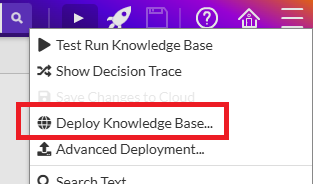
Alternatively use the Deploy Knowledge Base option via pull down burger menu
Deployment Strategy
When deploying knowledge bases, the specific GUID of the KB is the critical factor. When deciding whether to deploy a new deployment server application or overwriting an existing one, the following factors have an impact...
- The GUID of the knowledge base
- The language translation (if any) applied during the deployment process
- The mode (dialog, chat, silent) of the deployment
n.b. Test run Knowledge Bases will never get overwritten by a deployment